$ pkw list backup.7z
# what it holds; --json for scripts
ZIP, 7z, tar.xz, tar.zst and tar.bz2 made on all of your cores at once, and big archives opened the same way. ZIP, RAR, 7z, tar, disc images and age files, opened safely. A native app built in Rust, on hivepack.
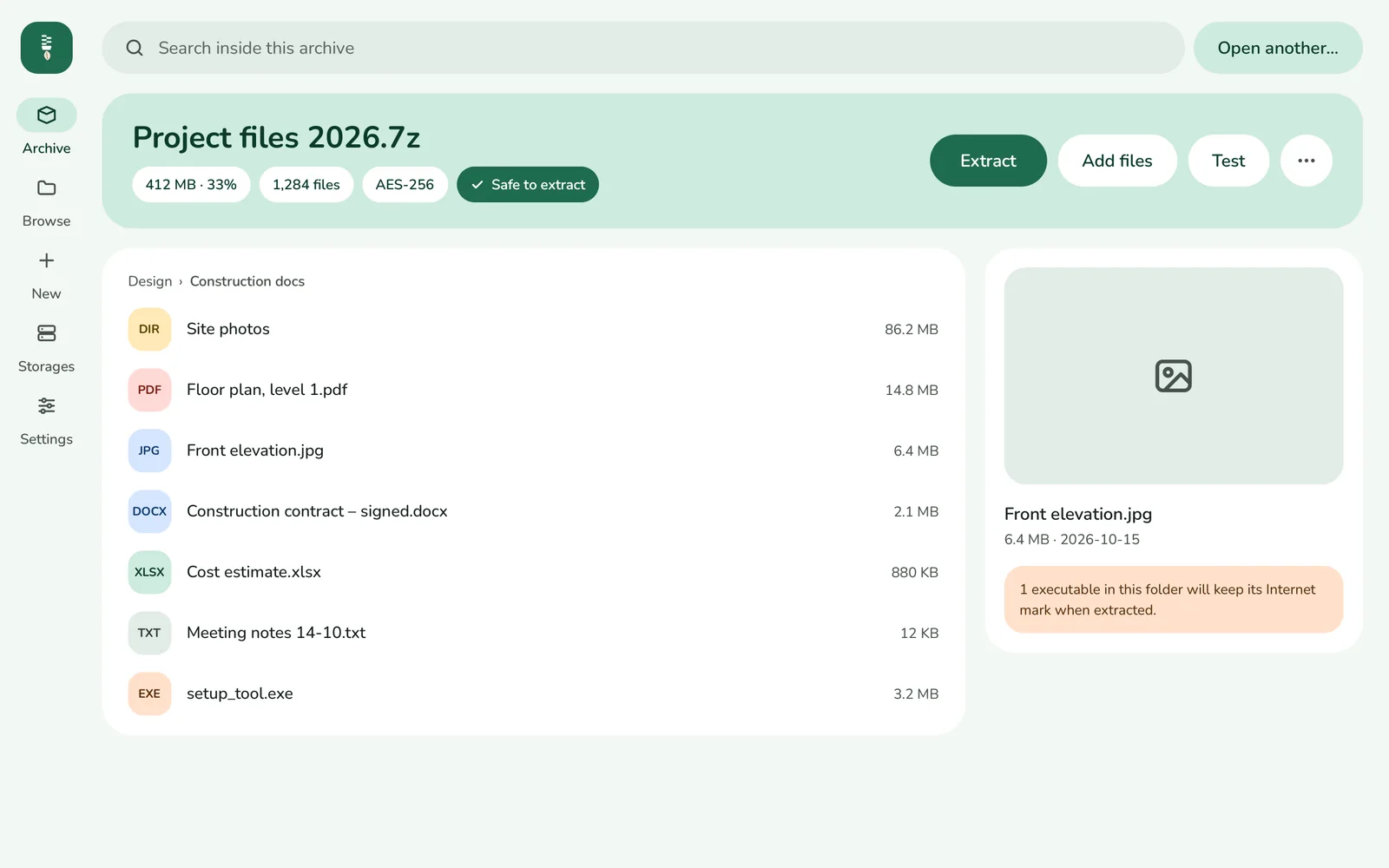
A big archive is a lot of work for one core while the others wait. packwing shares it among all of them, so it is made, and opened, many times sooner.
More than cores. How fast a job goes depends on the format and level too, the memory free, and how quickly your disk reads and writes.
An archive from anyone can hold surprises. packwing checks each one as it goes, so a bad archive stops before it does harm, and tells you why.
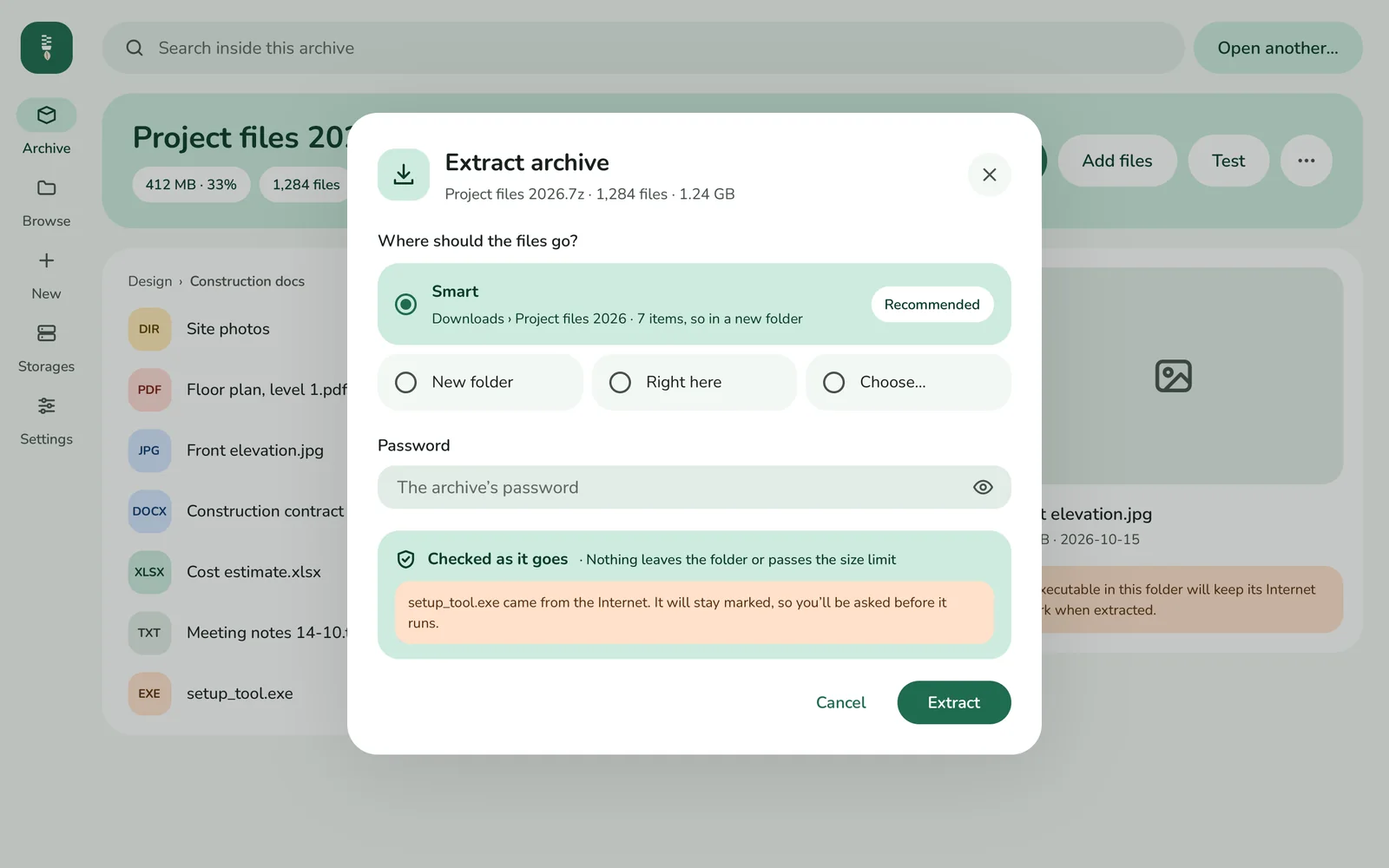
Look inside before you extract, make archives others can open, and keep the work going in the background.
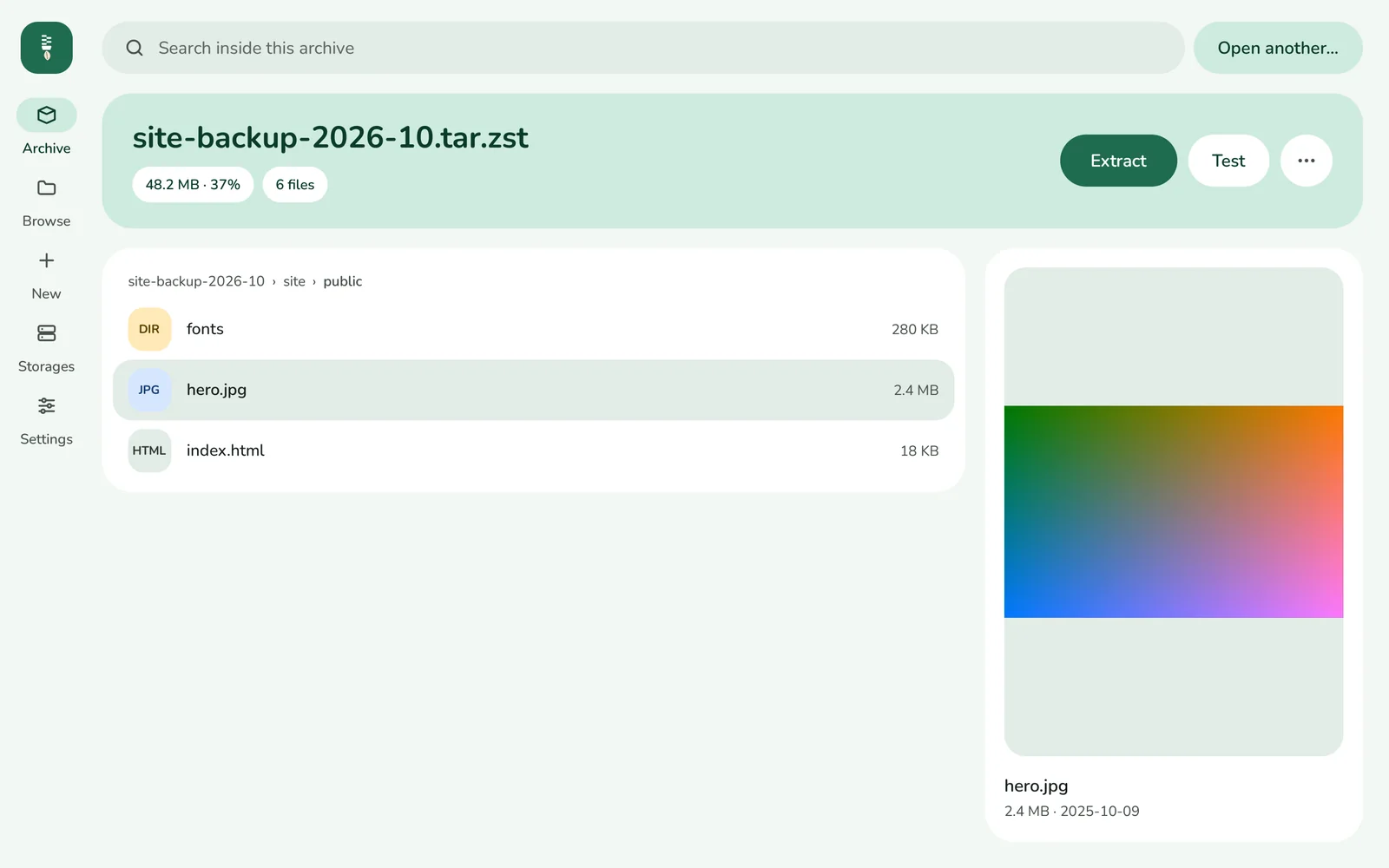
A search through every folder of an archive, whatever the case and accents: resume findsRésumé. Pictures and text show in a preview, and Extract takes just what is selected. A password is asked once, kept in memory, and forgotten ten minutes after its last use.
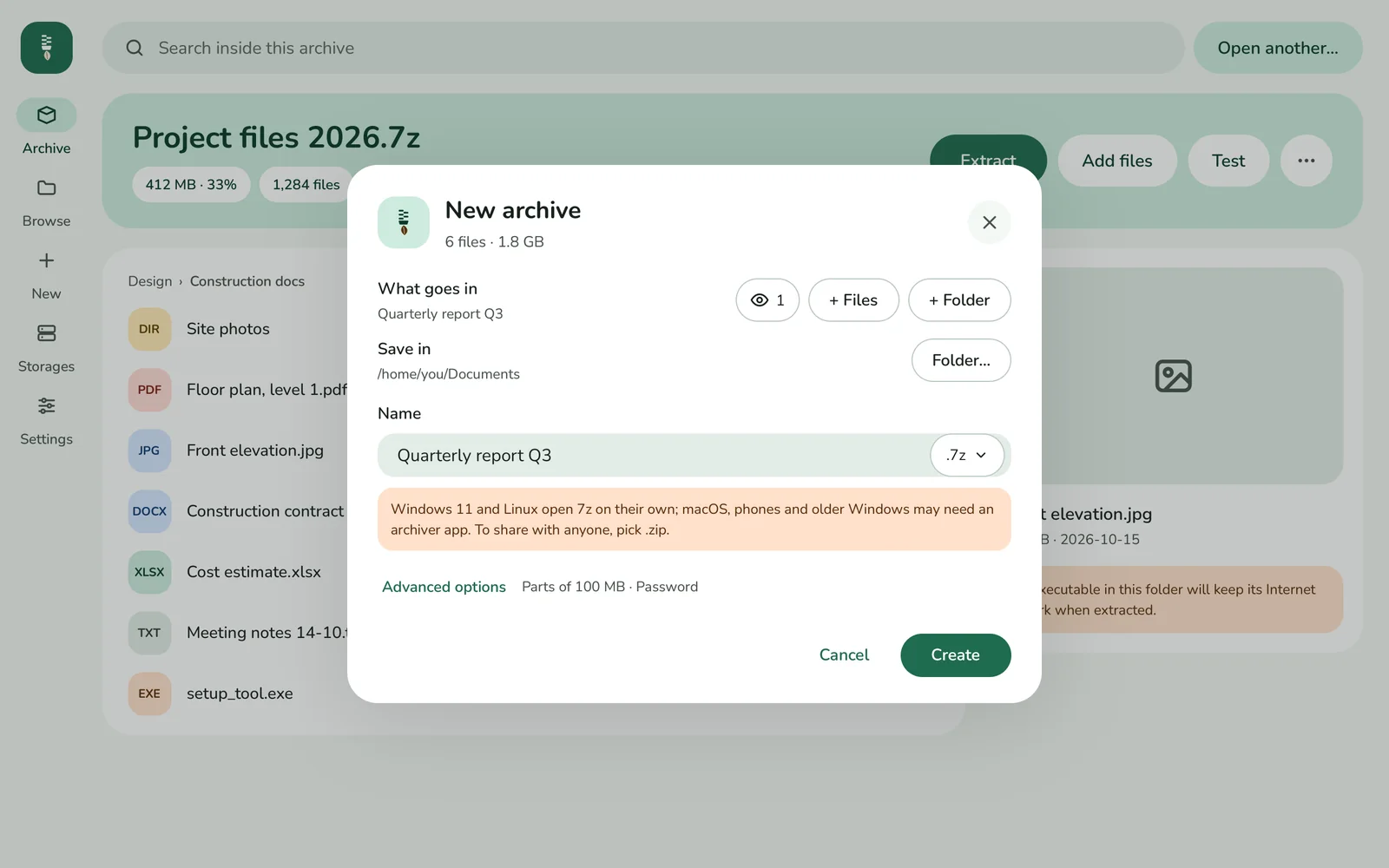
ZIP, 7z, .tar.gz, .tar.xz and .tar.zst, with five levels, AES-256 on ZIP and 7z (7z can hide the names too), and parts as 7-Zip cuts them. For a backup, a tar archive keeps each file’s owner, group and extended attributes, ACLs among them, and gives them back when you extract it; an archive to share leaves them out. It tells you who can open what you make.
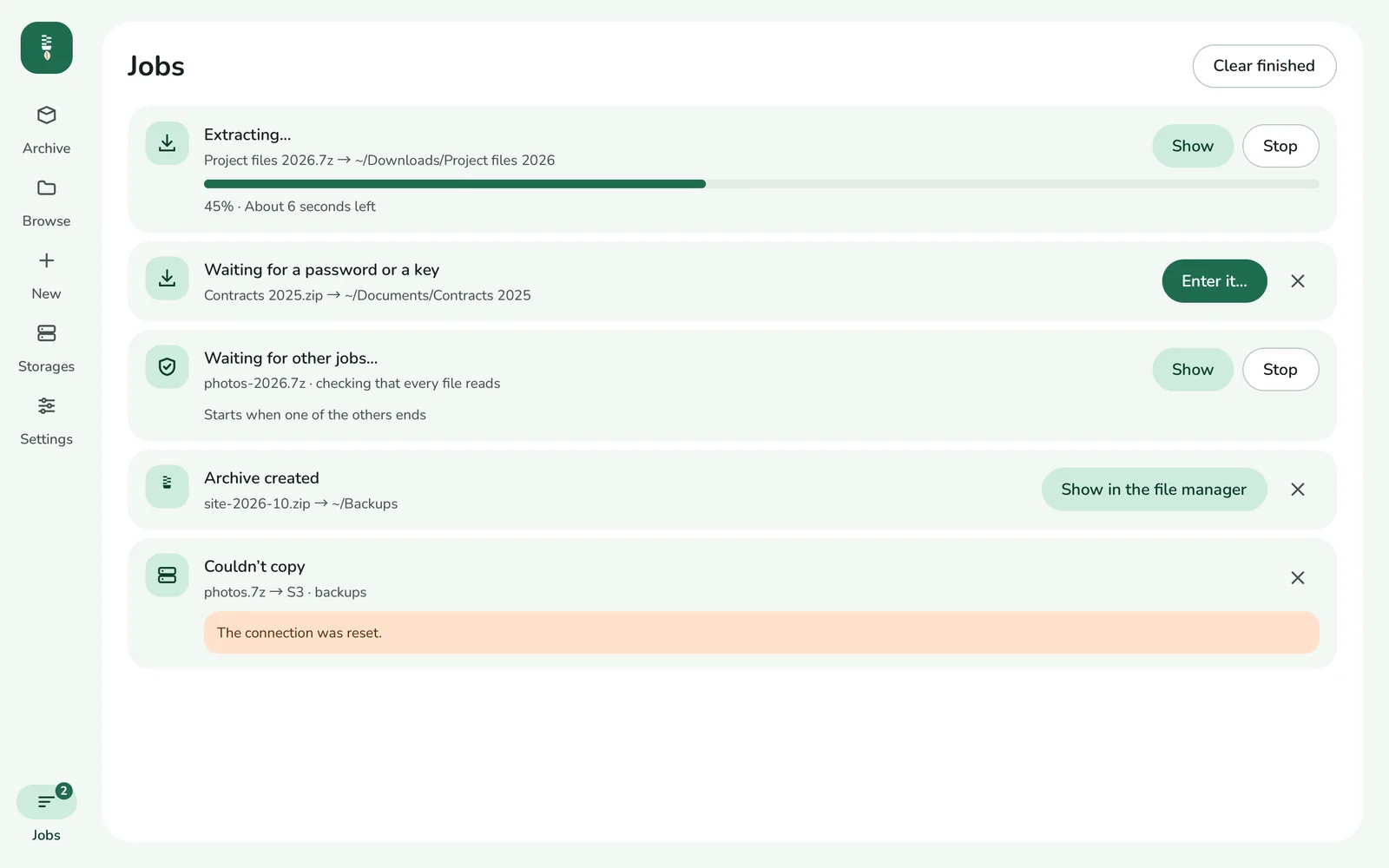
Extracting, compressing, testing, copying and signing go on behind, two at a time. The Jobs page says how far each is, waits for a password one needs, and the system tells you when one ends.
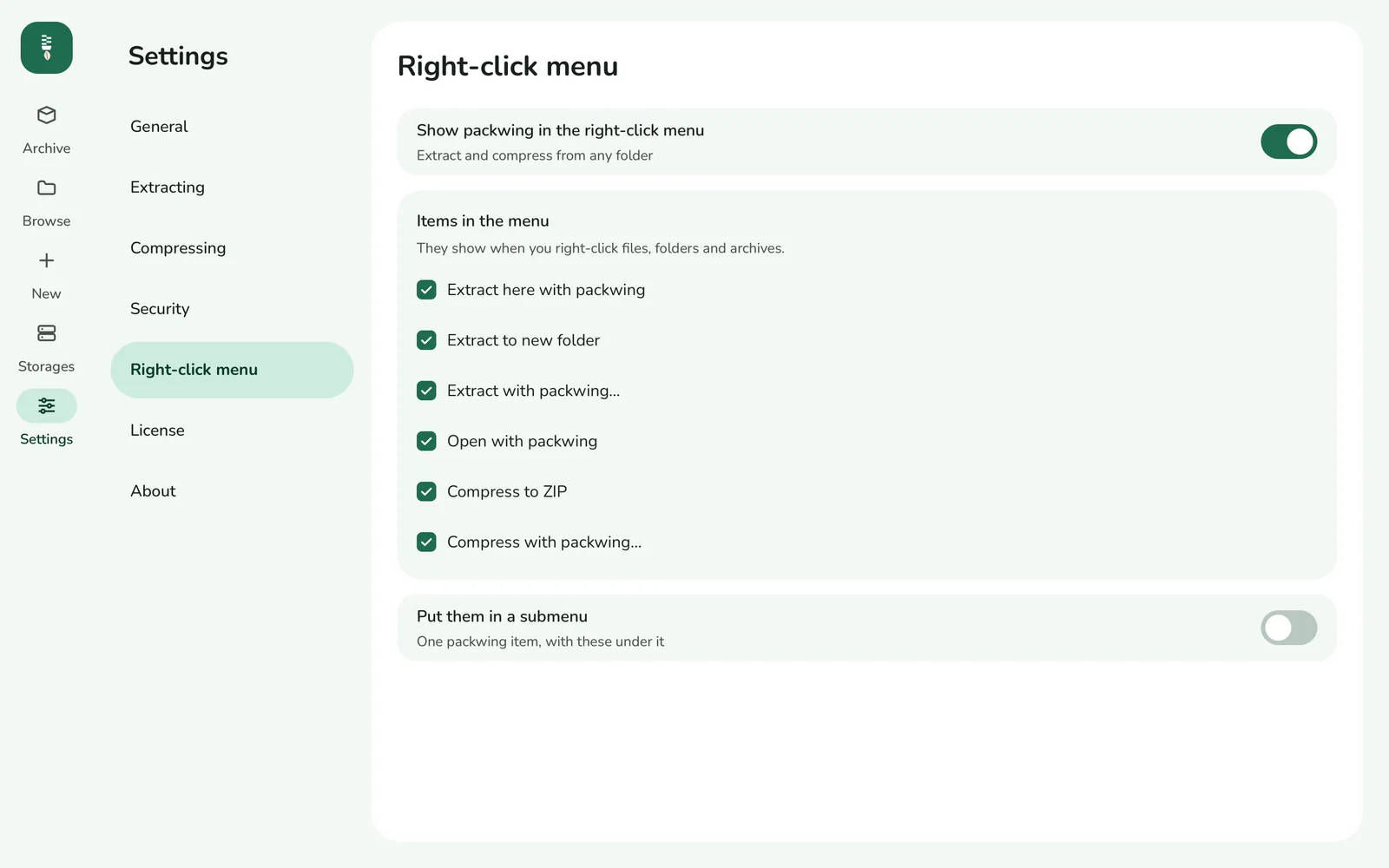
Extract here, extract to a new folder, open, or compress to ZIP from the right-click menu of Windows Explorer, macOS Finder and Linux file managers (Nautilus, Dolphin, Nemo and Thunar), and drag files into the window.
Opens and writes .age files with a passphrase, age keys, Ed25519 SSH keys and post-quantum keys.
Add, delete and rename inside a ZIP or 7z archive. The new one takes its place only once it reads back whole, and starts only where there is room for it. A 7z archive’s blocks that lose nothing are copied as they are, encrypted or not.
Sign with an SSH Ed25519 key, or a new key of Ed25519 and ML-DSA-65 together. An SSH signature checks with ssh-keygen -Y verify, without packwing.
SHA-256 and SHA-1, or SHA-512, MD5 and BLAKE3, in one pass. Paste the one from a download page, or a SHA256SUMS list, to compare; save them beside the file for sha256sum -c.
A daily look for a newer version, in a list believed only when its signatures verify. Nothing is downloaded or installed unless you ask.
An interface in 15 languages, light and dark, back and forward with your mouse, and a window that comes back as you left it.
packwing tells a file by what it holds, not by its name, so a ZIP under another name opens as one.
And converts between them, an entry at a time, with no folder in between.
Browse folders, buckets and servers as a file manager does, and copy and move between them. Secrets stay in the system’s keychain.
on this computer, and the drives it sees
Amazon S3, and S3-compatible storage
any WebDAV server
any server you reach over SSH
A ZIP or 7z archive on a storage is listed, and a file taken from it, without fetching the rest.
pkw is for a terminal, a server over SSH or a script: the same formats, the same safety and the same organization policies as the app.
pkw asks for one in a terminal, or reads it from a file, standard input or an environment variable, where others cannot see it.
0 done1 failed2 not understood3 password or key needed, or wrong4 not an archive it opens5 done, with some files skipped or damaged130 stopped by Ctrl-C, what it was making removedKeep the Internet mark on what is extracted, require encryption on every new archive, and set which passwords are allowed and how long they have to be. Keep an audit log of what packwing does, who extracted, made or copied which archive and when, chained so that a record changed or taken out shows, and sent to the Event Log, macOS’s unified log or journald too. What the organization fixes shows as locked in the app, and pkw follows it too.
The policiespackwing is free software under the GPL-3.0: the source is on GitHub, and you can build it, change it and share it.
Yes. ZIP, 7z, .tar.gz, .tar.xz, .tar.zst, .tar.bz2 and .tar.lz4 are compressed on every core at once, and so is one large file in a ZIP archive. What is written in pieces (by packwing, xz -T, pzstd, pbzip2 or 7-Zip) is read on every core, as is any bzip2 file and a macOS package; ZIP and RAR archives' files and 7z's solid blocks are extracted several at once, and a tar archive's files are written while it is read. A .tar.zst of 256 MiB or more is made in frames that every core opens at once, and a .tar.xz or 7z archive in smaller blocks when you ask. The archive is the same, byte for byte, however many cores made it. The threads take no more than 70% of the memory free, and leave at least 2 GB of it to everything else, and Settings › General, or pkw --threads N, sets how many.
Nothing is written outside the folder you extract to, or through a link in the archive. An archive bomb stops at a size limit. A file that is already there is never written over unless you say so. A file opened from an archive opens as a copy in a temporary folder, after asking, and a program always asks first. On Windows and macOS, what came from the Internet keeps its mark when extracted, so the system still warns before running it.
It opens ZIP (split archives too), RAR 1.4 to 7 (volumes too), 7z, tar, cpio, ISO 9660 and UDF disc images, Debian and RPM packages, snaps, AppImages and macOS packages, inside gzip, zstd, xz, bzip2 and other layers, and .age files. It writes ZIP, 7z, .tar.gz, .tar.xz, .tar.zst, .tar.bz2, .tar.lz4 and .age, with AES-256 on ZIP and 7z, and parts as 7-Zip cuts them, and adds, deletes and renames inside ZIP and 7z archives.
Yes. When you ask, a tar archive keeps each file's owner and group and its extended attributes (Linux's ACLs among them), and holds a file with several names once. Extracting gives them back when Settings › Extracting, or pkw extract --same-owner --xattrs, says so; only an administrator gives files to other users. An archive to share leaves them out, so it does not name its users. pkw create --mtime, or SOURCE_DATE_EPOCH, gives the same files the same archive.
Yes. pkw is packwing for the terminal, a server over SSH or a script: it lists, extracts, tests, makes, changes and converts archives, signs and verifies files, makes and checks checksums, and copies to and from your storages, with JSON output and exit codes that say what went wrong.
An archive’s password is kept in memory while you use it, and forgotten ten minutes after its last use; it is never written down. The secrets of your storages (S3, WebDAV, SFTP) are kept in the system’s keychain.
Yes. Group Policy on Windows, a configuration profile on macOS, or a file in /etc on Linux can keep the Internet mark, require encryption, set which kinds of passwords are allowed and how long they have to be, and keep an audit log of what packwing does, on the computer and in the system’s own log. The settings they fix show as locked.
Download it for your system above: a .dmg for macOS, an installer for Windows (for everyone, or for you alone), a .deb or an .rpm for Linux, or pkw, the command line, alone. Once a day packwing looks for a newer version, in a list it believes only when its signatures verify, and a badge says so; nothing is downloaded or installed until you ask. The .dmg app and the Windows installer update themselves when you say so; for a .deb or an .rpm, the app shows the commands; pkw alone does not update itself. The Windows installer is not signed yet, so SmartScreen asks you to allow it the first time.
Coming soon, for iOS and Android, to open the archives you are sent.
Free and open source, for macOS, Windows and Linux; iOS and Android are coming soon. It tells you when a new version is out, and installs it when you say so. Only need the command line? pkw comes alone too.
# Or with Homebrew
brew install --cask hivepaas/tap/packwing
Windows 10 or 11, x64
glibc 2.35+ (Ubuntu 22.04, Debian 12, Fedora, openSUSE Leap 15.6 or newer), Wayland or X11
# Debian / Ubuntu
curl -LO https://github.com/hivepaas/packwing/releases/download/v0.2.0/packwing_0.2.0_amd64.deb
sudo apt install ./packwing_0.2.0_amd64.deb

# Fedora
curl -LO https://github.com/hivepaas/packwing/releases/download/v0.2.0/packwing_0.2.0_x86_64.rpm
sudo dnf install ./packwing_0.2.0_x86_64.rpm

# openSUSE
curl -LO https://github.com/hivepaas/packwing/releases/download/v0.2.0/packwing_0.2.0_x86_64.rpm
sudo zypper --no-gpg-checks install ./packwing_0.2.0_x86_64.rpm
pkw alone, with no app: Linux with glibc 2.34+ (Ubuntu 22.04, Debian 12, RHEL 9 or newer), macOS 13 or later, Windows 10 or 11 x64
# Homebrew (macOS and Linux)
brew install hivepaas/tap/pkw

# Linux x86_64
curl -LO https://github.com/hivepaas/packwing/releases/download/v0.2.0/pkw_0.2.0_linux_x86_64.tar.gz
tar -xzf pkw_0.2.0_linux_x86_64.tar.gz
mkdir -p ~/.local/bin
install -m 755 pkw_0.2.0_linux_x86_64/pkw ~/.local/bin/pkw

# macOS (Apple silicon)
curl -LO https://github.com/hivepaas/packwing/releases/download/v0.2.0/pkw_0.2.0_macos_aarch64.tar.gz
tar -xzf pkw_0.2.0_macos_aarch64.tar.gz
mkdir -p ~/.local/bin
install -m 755 pkw_0.2.0_macos_aarch64/pkw ~/.local/bin/pkw

~/.local/bin/pkw --version
packwing for iPhone and iPad is coming soon, to open the archives you are sent.
packwing for Android is coming soon, to open the archives you are sent.
Like it? Star packwing on GitHub to follow what comes next.